
Applebee’s Takeout: Menu, Curbside To Go, Pickup & Online Orders
You’re not trying to learn Applebee’s corporate story. You want food, and you want to know the fastest way to get it without walking in and waiting on a table. Applebee’s takeout covers three ordering paths curbside (called Carside To Go), in-store pickup, and delivery through third-party apps and each one works a little differently.
Get the wrong one and you end up standing at a hostess stand for ten minutes wondering why nobody’s coming out to your car. Get the right one and you’re eating in the driveway twenty minutes after you hit “place order.”
This guide covers exactly how each method works, what’s actually on the takeout menu, whether you can get a margarita to go, and the small details like designated parking spots and check-in steps that trip up first-time customers.
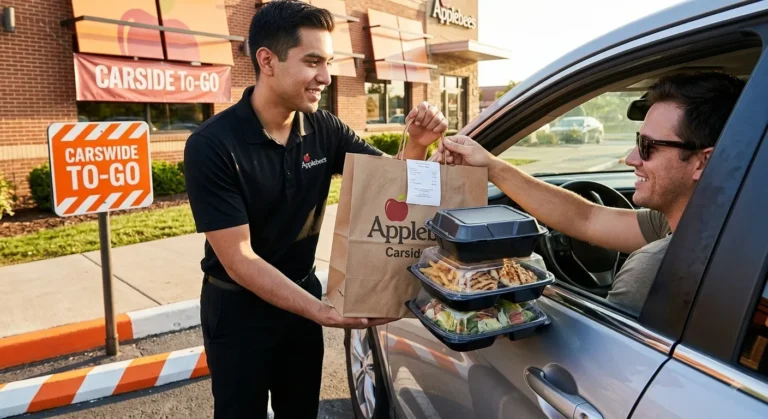
How Applebee’s Takeout Actually Works
Applebee’s offers takeout through three channels, and picking the right one matters more than it sounds like it should.
Curbside To Go (Carside To Go)
This is Applebee’s free curbside pickup service. There’s no minimum order and no extra fee
it’s built into the regular online ordering flow.
Here’s the process:
- Order online or through the app. Build your order, then select Carside To Go as the pickup method. Not every location offers it, so if you don’t see the option, that restaurant may only support inside pickup.
- Enter your vehicle details. You’ll be asked for your car’s make, model, and color, along with a phone number or email for updates.
- Choose a pickup time. Most orders are ready in roughly 20 to 25 minutes, though you can also schedule a later pickup.
- Park in a marked Carside To Go spot when you arrive. Locations with numbered spots usually want you to park in the one matching your order confirmation; locations without numbered spots just want you near the entrance.
- Check in. Reply “I’m here” to the text or email, or call the number posted at the curbside sign.
- Wait for a team member to bring your order out. You never have to get out of the car.
- The one thing people miss: if you don’t check in, staff has no way of knowing you’ve arrived. Sitting in the lot without replying to the text just means a longer wait.
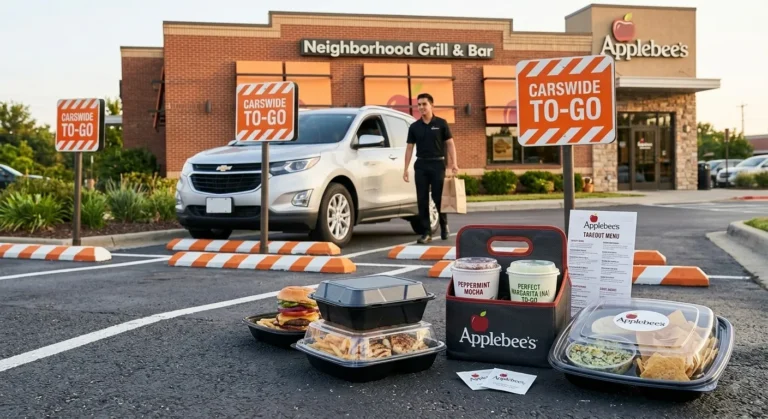
In-Store Pickup
This is the straightforward option order ahead online, walk in, and grab your bag from a to-go counter or the host stand. It skips the curbside step entirely, which is useful if you’re already out and about or don’t want to deal with vehicle details.
Delivery Through Third-Party Apps
Applebee’s partners with major delivery platforms including DoorDash, Uber Eats, and Grubhub at most locations. This is the only route if you can’t drive to pick up food yourself, but expect delivery and service fees stacked on top of regular menu prices sometimes adding several dollars to the total.
What’s on the Applebee’s Takeout Menu
The short answer: nearly everything on the dine-in menu translates to takeout. That includes:
- Appetizers mozzarella sticks, boneless wings, spinach and artichoke dip, loaded fries
- Entrées steaks, riblets, bourbon street chicken and shrimp, pasta dishes, burgers
- Sizzling skillets and fajitas packaged to travel without falling apart
- Salads and lighter fare
- Desserts including the chocolate chip cookie skillet, one of the more popular to-go orders
- Drinks soft drinks, and in many states, alcohol (more on that below)
A few things don’t travel as well and some locations quietly limit them for takeout anything served flaming or requiring tableside prep, for instance. If you’re unsure whether an item is available to go, the online ordering system will simply not let you add it, which is the easiest way to check.
Also See : Applebee’s Menu with Prices
Deals and Value Options
Applebee’s regularly runs takeout-specific promotions — bundled family meals, 2-for-$25 style combos, and limited-time menu items priced for pickup rather than dine-in. These change often enough that checking the app or site before you order usually beats trying to remember last month’s deal.
Can You Get Alcohol With Applebee’s Takeout?
Yes, at participating locations but this is the part that trips up the most first-time curbside customers, because it depends entirely on where you live. Applebee’s does offer alcoholic beverages, including some signature cocktails, for takeout and curbside orders. However, state and local laws determine whether restaurants are allowed to sell alcohol to go at all, and the rules vary widely. Some states permit sealed alcoholic beverages with a food purchase; others restrict it further or don’t allow it outside of specific circumstances. Regulations in this area have also shifted multiple times in recent years, so what was allowed at a given location last year isn’t guaranteed today.
A few practical notes if alcohol to go is available near you:
- You’ll need a valid ID at pickup, regardless of age appearance.
- Containers must be sealed Open containers can’t legally be transported in a vehicle in most states.
- A food purchase is often required to include alcohol in the order.
- Quantity limits may apply depending on your state’s rules.
If you’re planning around this, it’s worth checking your specific location’s online ordering page, since the option simply won’t appear at checkout if it’s not permitted locally.
Curbside To Go vs. Pickup vs. Delivery: Which Should You Choose?
| Method | Best for | Trade-off |
|---|---|---|
| Carside To Go | You’re driving and don’t want to leave the car | Requires entering vehicle details and checking in |
| In-Store Pickup | You’re already out, or prefer walking in | No curbside convenience |
| Third-Party Delivery | You can’t drive to the restaurant | Extra fees on top of menu prices |
If you’re deciding based purely on speed and cost, curbside usually wins, it’s free, requires
no walk-in wait, and tends to have the most predictable timing since orders are staged for a
specific pickup window.
How Long Does Applebee’s Takeout Take?
Most curbside and pickup orders are ready in 20 to 25 minutes from the time you place them, though this varies by how busy the location is and what you’ve ordered. Ordering ahead, rather than showing up and ordering on the spot, consistently shortens the actual wait once you arrive, since the kitchen starts working on your food before you get there.
Delivery through a third-party app takes longer, since it depends on both kitchen prep time and the driver’s route.
Tips for a Smoother Takeout Order
- Double-check your pickup method before submitting. It’s easy to select in-store pickup by default and then sit in the parking lot wondering why no one’s coming out.
- Save the location’s phone number. If the app’s check-in feature glitches, a phone call to the curbside line solves it faster than refreshing your confirmation email.
- Order ahead during peak hours. Weekend dinner rushes stretch prep times regardless of which method you pick.
- Check the app for current deals before finalizing your cart. Promotions rotate and aren’t always advertised on the main menu page.
Conclusion
Applebee’s takeout isn’t complicated once you know which lane to pick. Curbside gets you food without leaving your car and costs nothing extra. In-store pickup works if you’re already headed that way. Delivery apps cover you when driving isn’t an option, at the cost of extra fees. The menu itself is close to a full replica of what you’d order sitting down, alcohol included in states that allow it you just need to check in when you arrive and have your ID ready if you’re ordering a drink to go.